
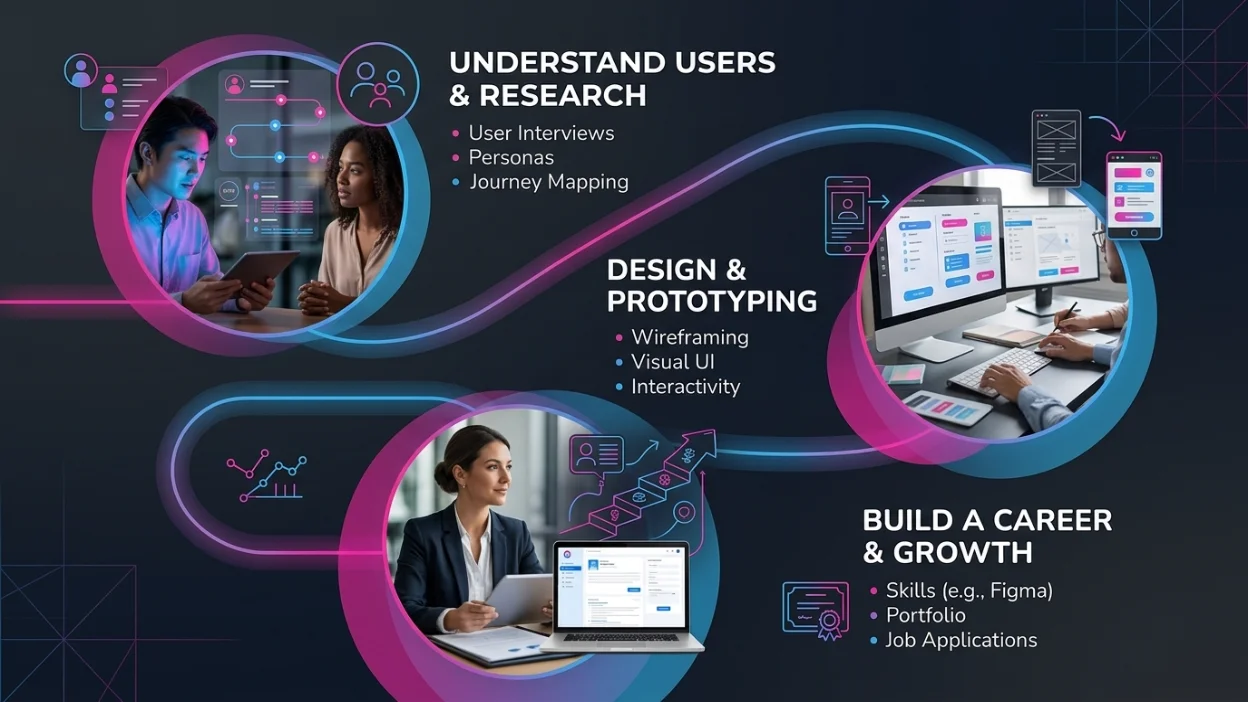
You open an app. It loads instantly. Everything is exactly where you expected it to be. Buttons are easy to tap. The words make sense. You finish what you came to do — and you don't even think about the design. That's the mark of great UI/UX design. It's invisible when it works, and painfully obvious when it doesn't. In today's product-driven world, design isn't decoration — it's strategy. Companies that invest in best ui ux design see higher user retention, stronger conversion rates, and better brand perception. Whether you're a business owner, a developer, a student, or someone just curious about the field, this guide breaks down everything you need to know. By the end of this article, you'll know exactly what UI/UX design means, what a UI/UX designer actually does every day, how the design process works step by step, how it compares to roles like art director, whether a CS degree opens this career path, and what a compelling portfolio looks like.
What Is UI/UX Design? Defining the Basics
To define UI UX design properly, you first need to understand that it's actually two distinct — but deeply connected — disciplines working together.
UI Design (User Interface Design)
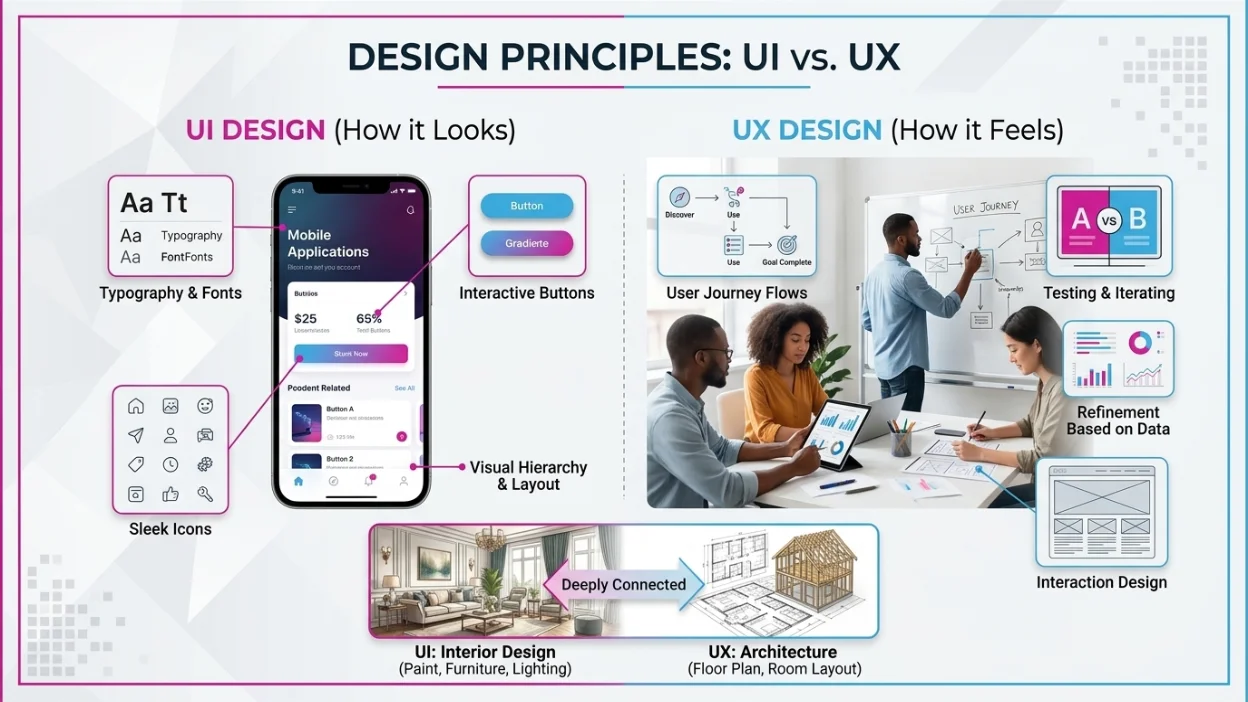
UI design refers to the visual and interactive elements a user sees and touches when using a digital product. It covers every button, icon, font, color, spacing, and layout element on a screen. UI is about how a product looks. A well-executed UI creates visual hierarchy, guides the eye naturally, and uses consistent design patterns that feel familiar. It's the aesthetic layer of a product — the one that forms the first impression.
UX Design (User Experience Design)
UX design is about how a product feels to use. It focuses on the entire journey a user takes — from the moment they first encounter a product to the moment they complete their goal. UX designers research user behavior, map out flows, test ideas, and refine experiences based on real data. Think of building a house. UX is the architecture — the floor plan, room layout, traffic flow. UI is the interior design — the paint color, furniture, and lighting. You need both. That's why top agencies offering ui ux design always approach both together.
| Aspect | UI (User Interface) | UX (User Experience) |
|---|---|---|
| Focus | Visual design & layout | User journey & usability |
| Deals with | Buttons, colors, typography | Research, wireframes, flow |
| Goal | Make it look good | Make it work well |
| Tools | Figma, Sketch, Adobe XD | Figma, Miro, UserTesting |
| Output | High-fidelity mockups | User flows, prototypes, personas |
| Skill Type | Aesthetic & visual | Analytical & empathy-driven |
What Is a UX/UI Designer? Roles and Responsibilities
So what is a UX/UI designer? Simply put, a UX/UI designer is a professional who handles both the user experience and the visual interface side of digital product design. In smaller teams and startups, this is often one person. In larger organizations, UX and UI roles may be separated.
Core Responsibilities of a UI/UX Designer
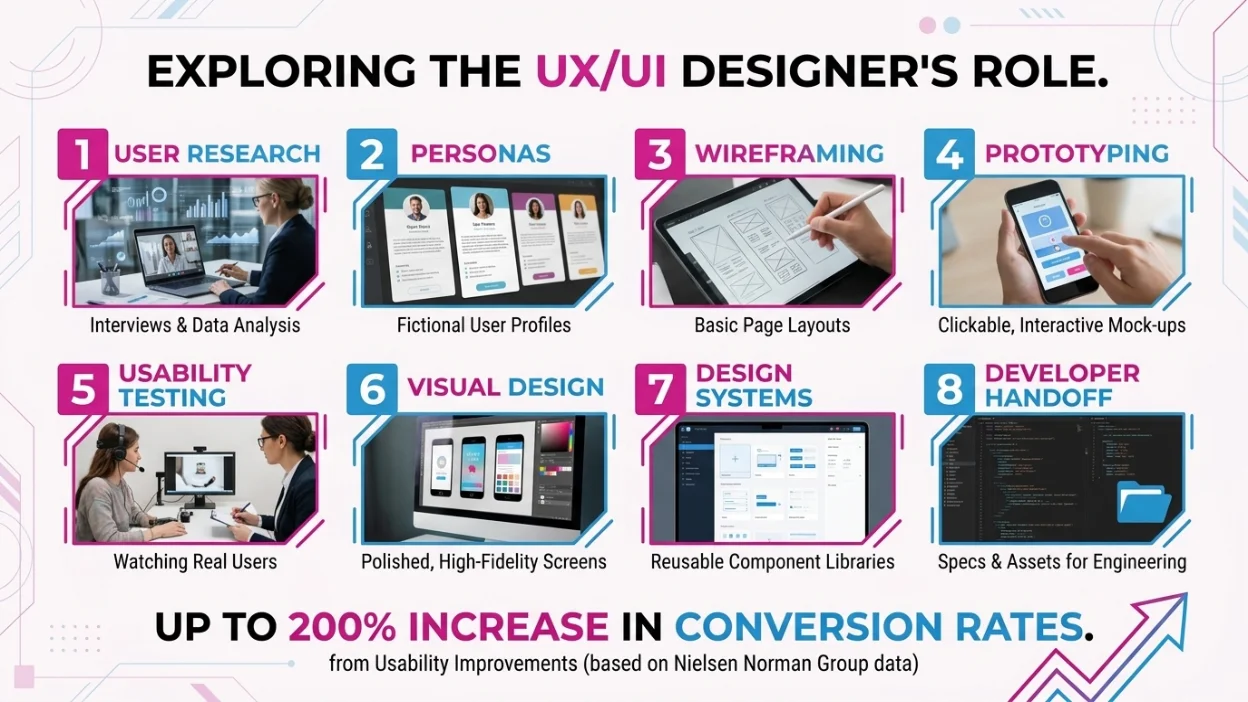
- User Research: Interviewing users, running surveys, analyzing behavior data.
- Personas & User Stories: Creating fictional but research-based profiles of target users.
- Wireframing: Sketching basic page layouts before adding visual detail.
- Prototyping: Building clickable, interactive mock-ups to test concepts.
- Usability Testing: Watching real users interact with designs and noting pain points.
- Visual Design: Creating polished, pixel-perfect screens with typography, color, and icons.
- Design Systems: Building reusable component libraries for consistent UI across the product.
- Developer Handoff: Providing specs, assets, and documentation to engineering teams.
According to the Nielsen Norman Group — one of the world's leading UX research firms — usability improvements can increase conversion rates by up to 200%. That number explains why businesses worldwide are investing heavily in qualified UI/UX designers.
UX/UI Designer vs Art Director: Understanding the Difference
One of the most common points of confusion — especially for those entering creative industries — is the distinction between a UX/UI designer vs art director. While both roles involve visual thinking and creative problem-solving, they operate in very different contexts and with very different goals.
| Factor | UI/UX Designer | Art Director |
|---|---|---|
| Primary Role | Design digital products (apps, websites) | Lead visual direction of campaigns or brands |
| Focus | User experience, interaction, interface | Creative vision, aesthetics, brand identity |
| Industry | Tech, SaaS, product companies | Advertising, media, publishing, marketing |
| Key Skills | Wireframing, prototyping, usability testing | Typography, art direction, team leadership |
| Tools Used | Figma, InVision, Maze | Adobe Suite, Canva (enterprise), InDesign |
| Collaboration | Works with developers, PMs, researchers | Works with copywriters, photographers, clients |
| Career Path | Senior Designer → Lead → Head of Design | Senior AD → Creative Director → VP Creative |
| Average Salary | $75K – $130K / year (US) | $70K – $140K / year (US) |
When Would You Work with Both?
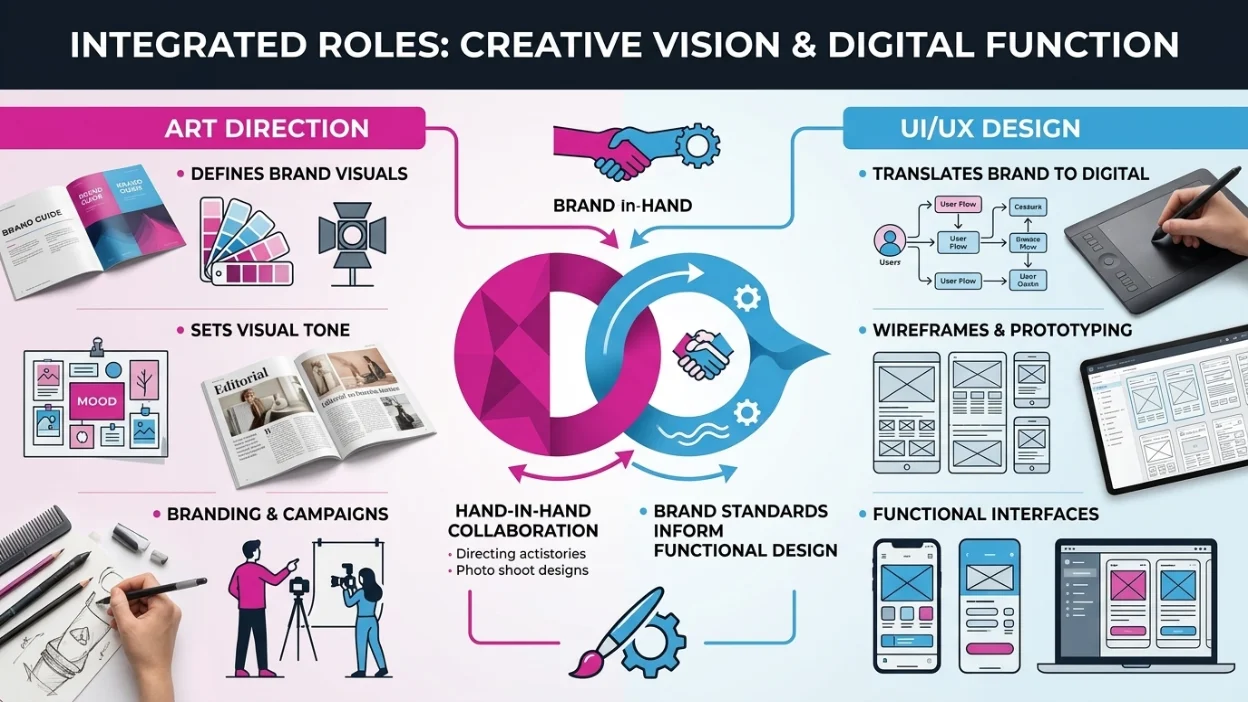
In an agency or large brand setting, you might work with both. An art director sets the visual tone and brand standards. A UI/UX designer then translates those brand standards into a functional digital product — making sure that what looks great on a mood board also works seamlessly as a web interface or mobile app. If you're building a digital product, you need a UI/UX designer. If you're creating a brand identity, campaign, or editorial piece, you need an art director. At Moonshot Tech, both disciplines inform each other — explore branding services that work hand-in-hand with UI/UX.
The UI UX Design Process: Step by Step
The UI UX design process isn't linear — it's iterative. Designers constantly loop back as they learn more from users and stakeholders. However, it generally follows a structured framework.
| Stage | What Happens | Key Deliverable |
|---|---|---|
| 1. Empathize | Understand user needs through research | User interviews, surveys |
| 2. Define | Clarify the problem you are solving | Problem statement, personas |
| 3. Ideate | Generate creative solutions | Sketches, brainstorms |
| 4. Prototype | Build interactive mock-ups | Low/high-fidelity prototypes |
| 5. Test | Validate with real users | Usability test reports |
| 6. Implement | Hand off to developers | Design specs, style guides |
| 7. Iterate | Refine based on real-world feedback | Updated designs |
Breaking Down Each Stage
- Empathize: This stage is about understanding users — not assuming you know them. Designers conduct one-on-one interviews, observe users in their real environment, and analyze data from existing products. Empathy is the foundation of good UX.
- Define: Based on research, designers define the exact problem they're solving. A well-defined problem statement keeps the team focused. For example: 'First-time mobile banking users struggle to locate the transfer feature, leading to abandoned sessions.'
- Ideate: With the problem defined, the team brainstorms solutions. This includes sketching, mind mapping, and design workshops. The goal is quantity over quality — generate many ideas before narrowing down.
- Prototype: The best ideas become clickable prototypes. These range from low-fidelity paper sketches to high-fidelity digital mock-ups built in tools like Figma. Prototypes should be testable but not production-ready.
- Test: Real users interact with the prototype. Designers observe, ask questions, and note confusion points. This is the most important stage — it reveals assumptions that need fixing before a single line of code is written.
- Implement: After testing and refinement, designs are handed off to developers. This includes specs, assets, style guides, and interaction notes. Designers stay involved during development to ensure accuracy.
- Iterate: Post-launch, designers analyze user behavior using tools like Hotjar or Google Analytics, gather feedback, and continue improving the product. Design is never truly finished.
Can I Go Into CS as a UI/UX Designer?
One of the most searched questions among students and career changers is: can I go into CS as a UI/UX designer? The short answer is yes — and it can be a significant competitive advantage.
Why CS + UI/UX Is a Powerful Combination
- You understand the technical constraints developers work within, so your designs are realistic and buildable.
- You can prototype functional interactions — not just visual ones — using basic HTML, CSS, or JavaScript.
- You communicate more effectively with engineering teams, which speeds up the build process and reduces errors.
- You can move into specialized roles like front-end developer, design engineer, or design systems engineer.
- Many top tech companies — including Google, Meta, and Apple — specifically seek designers with coding skills.
What CS Gives You That Design School May Not
A CS background gives you a structured, logical mindset. You understand how software is built, what APIs are, how databases work, and what makes something scalable. This translates directly into better product thinking — not just visual thinking. If you're in a CS program and interested in design, take elective courses in human-computer interaction (HCI), visual communication, and cognitive psychology. Start building a portfolio ui ux designer side while completing your degree. By the time you graduate, you'll be a rare combination of technical skill and design fluency.
Is a CS Degree Required for UI/UX?
No. Many successful UI/UX designers have degrees in graphic design, psychology, communications, or unrelated fields. What matters most is your portfolio, your process, and your understanding of users. However, a CS background opens more doors and typically commands higher salaries.
How to Build a Portfolio as a UI/UX Designer
Your portfolio ui ux designer is your most important career asset. It tells potential employers and clients not just what you've designed — but how you think.
What Makes a Strong UI/UX Portfolio?
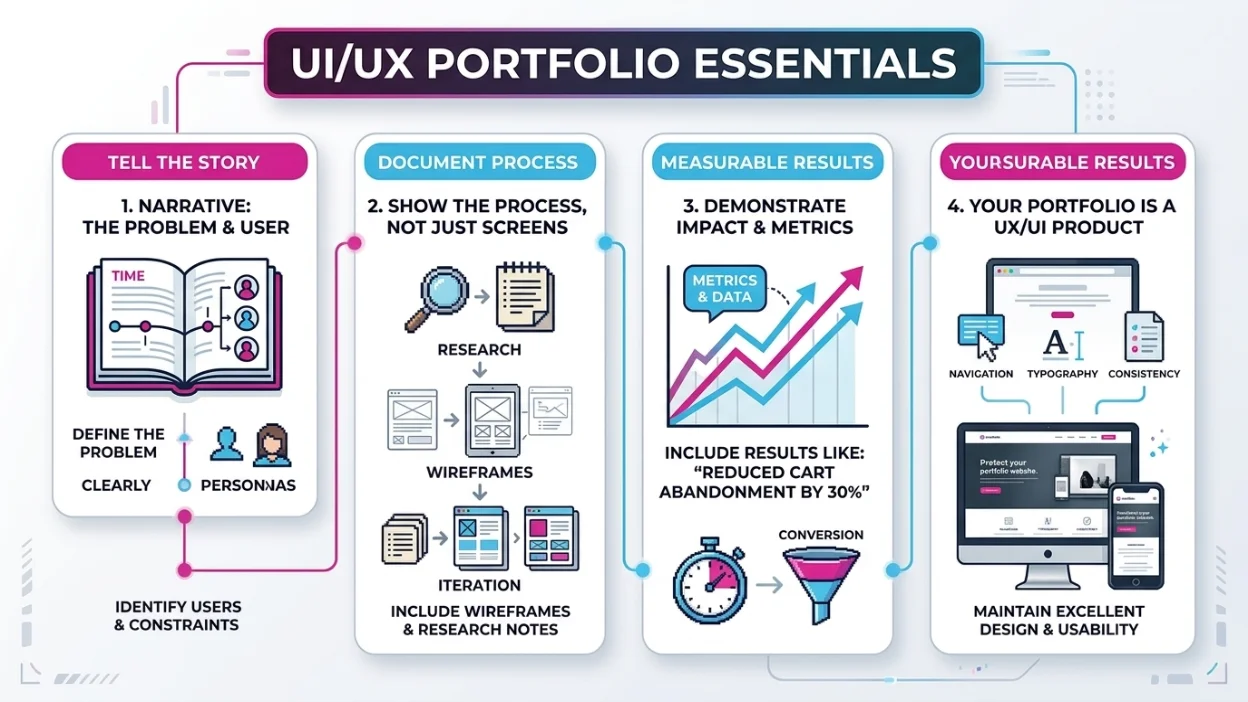
- Show your process, not just the final product. Include wireframes, research notes, and iteration history. Employers want to see how you solve problems.
- Include 3 to 5 well-documented case studies. More is not better. Quality and depth beat quantity every time.
- State the problem clearly. Every case study should open with: what was the problem, who were the users, and what constraints existed?
- Show measurable results. If possible, include metrics: 'Redesigning the checkout flow reduced cart abandonment by 30%.'
- Demonstrate variety. Show mobile and desktop work, different industries, different interaction types.
- Keep the portfolio itself well-designed. Your portfolio IS a UI/UX product. Inconsistencies, poor navigation, or bad typography undermine your credibility.
Where to Host Your Portfolio
- Behance — Best for visual showcase and community discovery.
- Dribbble — Great for visual work; less suited for case studies.
- Notion — Clean, editable, and surprisingly popular for UX case studies.
- Webflow / Squarespace — Best for a fully custom, branded portfolio site.
- UXfolio — Specifically built for UX designers; great case study templates.
Portfolio Tips for Beginners
If you're new to UI/UX and don't have client work yet, create your own projects. Redesign an app you think could be better — and document why you made each design decision. Solve a real problem for a local business or nonprofit. Take a brief from a design challenge site. The work doesn't need to be paid to be portfolio-worthy. It needs to show your thinking.
Essential Tools UI/UX Designers Use
The tools you know signal your professional level. While no tool makes you a better designer on its own, proficiency in industry-standard software is expected by most employers and clients.
| Tool | Category | Best For |
|---|---|---|
| Figma | Design & Prototyping | Industry standard for UI design and team collaboration |
| Adobe XD | Design & Prototyping | Adobe ecosystem integration |
| Sketch | Design | Mac-only; popular in product teams |
| Miro | Brainstorming | Whiteboarding, user journey maps |
| Maze | Usability Testing | Remote user testing & research |
| Zeplin | Handoff | Developer handoff and design specs |
| InVision | Prototyping | Clickable prototypes and feedback |
| Hotjar | Analytics | Heatmaps & session recordings |
Figma has become the dominant tool in the industry for good reason — it's collaborative, browser-based, and deeply integrated with developer handoff workflows. If you're learning only one tool, make it Figma. At Moonshot Tech, our team uses Figma as the core tool in delivering ui ux design for clients across industries.
Key Skills Every UI/UX Designer Needs
Technical Skills
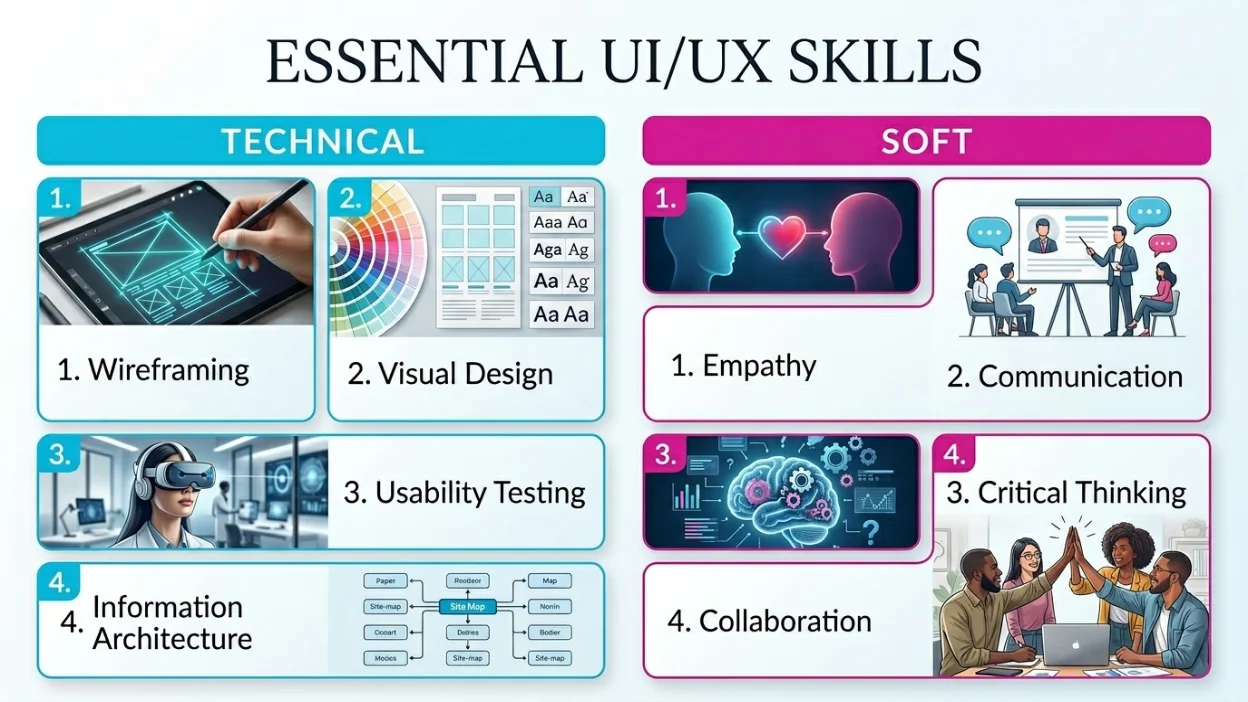
- Wireframing & prototyping — Creating low to high fidelity representations of product interfaces.
- Visual design — Understanding typography, color theory, spacing, and layout.
- Interaction design — Designing micro-interactions and transitions that feel natural.
- Usability testing — Planning and moderating tests with real users.
- Information architecture — Organizing content and navigation logically.
Soft Skills
- Empathy — The single most important quality in a UX designer.
- Communication — Presenting and defending design decisions to stakeholders.
- Critical thinking — Questioning assumptions and using data to inform choices.
- Collaboration — Working closely with product managers, engineers, and marketers.
- Adaptability — Design trends and tools evolve rapidly; staying current is part of the job.
UI/UX Design Career Outlook and Salary
The demand for UI/UX designers is strong and growing. According to the U.S. Bureau of Labor Statistics, employment in web development and digital design is projected to grow 23% by 2031 — much faster than average. Globally, the UX market is estimated to be worth over $8.5 billion and is expanding with the rise of mobile applications, SaaS platforms, and e-commerce.
| Experience Level | Average Salary (US) | Demand Level |
|---|---|---|
| Junior UI/UX Designer | $52,000 – $70,000 | High |
| Mid-Level Designer | $70,000 – $100,000 | Very High |
| Senior UI/UX Designer | $100,000 – $140,000 | Very High |
| Lead / Head of Design | $130,000 – $180,000 | Competitive |
| Freelance / Contract | $60 – $150 / hour | Project-Based |
Beyond salary, UI/UX designers often enjoy flexible working conditions. Remote work is widely available in this field, and many designers work as freelancers or consultants. If you're considering building a product or launching a mobile application, investing in quality design from the start significantly reduces development costs and rework down the line.
Why UI/UX Design Matters for Businesses

Business outcomes are directly tied to design quality. Companies that invest in best ui ux design consistently outperform those that don't. Here's why:
- Every $1 invested in UX returns $100 on average (Source: Forrester Research).
- 88% of users are less likely to return to a website after a bad experience (Source: Gomez).
- Good UX can increase conversion rates by 200–400% (Source: Nielsen Norman Group).
- A/B tested design changes can reduce customer support tickets by up to 50%.
- Mobile-first UX is now non-negotiable — over 58% of global internet traffic comes from mobile devices.
Businesses that understand this invest in structured web development and design systems together — not as separate line items, but as one cohesive product strategy.
What to Remember
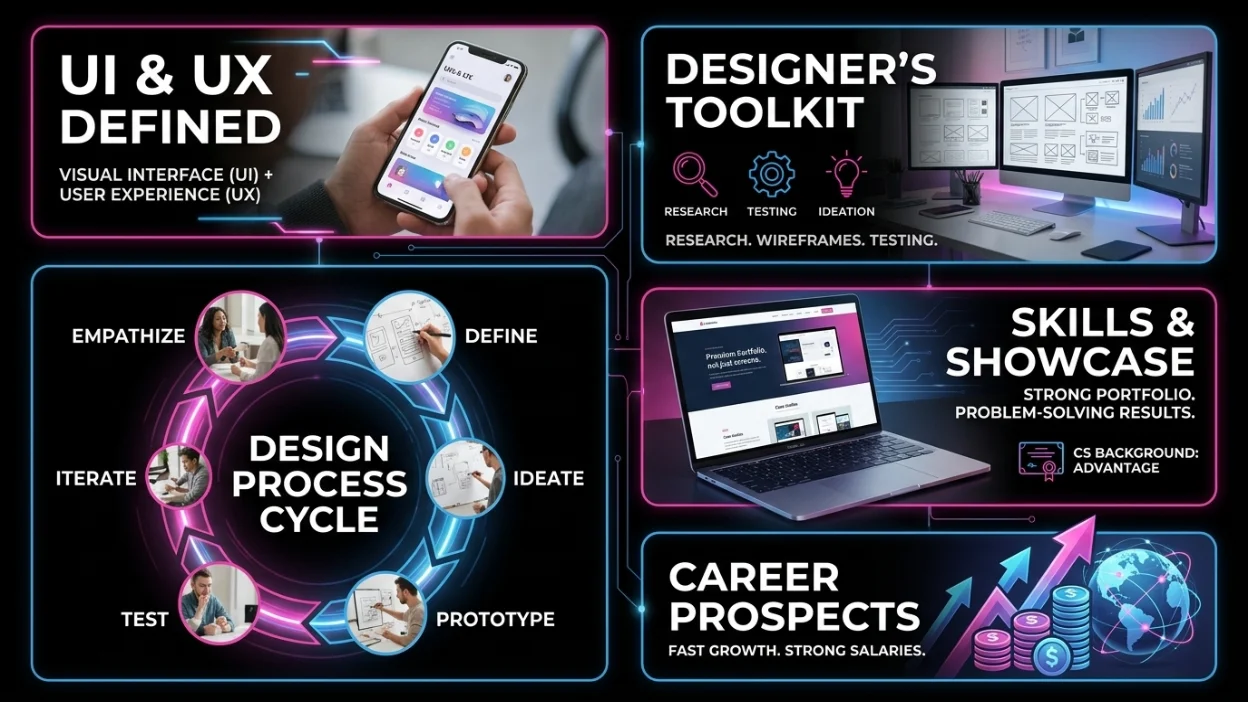
- UI/UX design covers both visual interface design (UI) and the overall user experience (UX).
- A UI/UX designer handles research, wireframing, prototyping, visual design, and testing.
- UI/UX designer vs art director: different roles, different industries, different goals — but they can collaborate effectively.
- The UI UX design process follows a research-driven, iterative cycle: empathize, define, ideate, prototype, test, implement, iterate.
- A CS background is not required but is a major advantage for UI/UX designers entering tech.
- A strong portfolio focuses on process, problem-solving, and measurable results — not just beautiful screens.
- The field is growing fast with strong salaries, remote opportunities, and cross-industry demand.
Frequently Asked Questions (FAQs)
1. What is the simplest way to define UI UX design?
UI design is about how a digital product looks. UX design is about how it feels to use. Together, UI/UX design ensures digital products are both visually appealing and easy to use.
2. What is a UX/UI designer vs a graphic designer?
A graphic designer typically focuses on print or brand visuals. A UX/UI designer specializes in digital products, user behavior, and interaction design. While skills overlap, a UI/UX designer also conducts user research and usability testing — which graphic designers generally don't.
3. Can I become a UI/UX designer without a design degree?
Yes. Many successful designers come from unrelated backgrounds. What matters is your portfolio, your understanding of users, and your ability to show your process. Online courses, bootcamps, and self-study combined with real project work are all legitimate paths.
4. How long does it take to learn UI/UX design?
With focused effort, most beginners can build portfolio-ready skills in 6–12 months. A structured bootcamp can accelerate this to 3–6 months. Mastery — the kind that commands senior-level salaries — takes 3–5 years of practice and feedback.
5. What is the difference between a wireframe and a prototype?
A wireframe is a low-fidelity, black-and-white layout that shows structure without detail — like a floor plan. A prototype is an interactive, often high-fidelity simulation of the actual product that users can click through and test.
6. Is UI/UX design a good career in 2026?
Absolutely. The field is growing faster than average, salaries are competitive, remote work is widely available, and skilled UI/UX designers remain in short supply relative to demand — especially those with research skills and technical backgrounds.
7. What tools should a beginner UI/UX designer learn first?
Start with Figma. It's free, browser-based, widely used, and has extensive learning resources. Once you're comfortable with Figma, add Miro for brainstorming and Maze or UserTesting for usability research.
8. Does a UI/UX designer need to know how to code?
It's not required, but it's a real advantage. Knowing basic HTML, CSS, and JavaScript helps you design interactions that are technically feasible and communicate more effectively with developers. Many teams prefer designers who can code simple prototypes.
For more questions?
Contact Us
UI/UX design is one of the most impactful disciplines in the modern digital economy. It shapes whether people succeed or fail when using your product. It drives conversion, retention, loyalty, and revenue. And it's a field that rewards curious, empathetic, and systematic thinkers — regardless of their academic background. Whether you're looking to hire a designer, become one, or simply understand how it all fits together — the key is this: design is not decoration. Design is strategy. Every interaction a user has with your product is a decision you made or didn't make. If you want to build digital experiences that work and perform, explore what Moonshot Tech's UI/UX services can do for your product. And if you're building something from scratch, see how web development, mobile applications, and branding work together to shape a brand presence that's built to last.